
Alt Text for SEO: How to Write It (With 25 Good vs Bad Examples)
Run a crawl on almost any small business website and the alt text problems fall into the same three buckets: the attribute is missing, it’s a leftover file name like IMG_4392, or someone stuffed a keyword into it and repeated it on every image. None of these helps a visitor, and none helps Google understand the page.
This guide shows how to write alt text that does its job, with 25 before-and-after examples you can adapt, the special cases that trip people up (logos, charts, linked images), and a Screaming Frog workflow to audit a whole site in under an hour. It’s one part of our wider image SEO guide, which covers formats, compression and lazy loading.
Quick answer: Good alt text describes what the image shows, in the context of the page, in under roughly 125 characters. Skip “image of”, add a keyword only if it fits naturally, and use an empty alt=”” for purely decorative images.
What Is Alt Text?
Alt text (the alt attribute) is a short written description attached to an image in your HTML:
<img src=”red-leather-office-chair.webp” alt=”Red leather office chair with chrome base, side view” width=”800″ height=”600″>
It does three jobs. Screen readers read it aloud so blind and low-vision users know what the image shows. Browsers display it when the image fails to load. And search engines use it as a text signal about the image’s subject. The first job is the reason alt text exists; the SEO benefit is a side effect of doing the first job well.
Don’t confuse it with other image text. The file name is part of the URL, the caption is visible text under the image, and the title attribute is a tooltip that most screen readers ignore. Alt text is the only one of the four that carries the image’s meaning when the image can’t be seen.
Does Alt Text Help SEO?
Yes, but within limits. Google’s image guidelines say alt text helps its systems understand the subject of an image, and it feeds Google Images rankings. It will not rescue a thin page or outrank a better one on its own.
Two places where alt text matters more than most people assume:
- Image links. When an image is wrapped in a link, Google treats the alt text roughly like anchor text for that link. A linked logo with alt=”logo” passes no useful context; alt=”ABP Tech Digital Marketing home”
- Google Images traffic. For product, recipe, travel and portfolio sites, image search can be a real traffic source, and alt text plus surrounding page content is how Google decides which query an image fits.
How to Write Good Alt Text: 6 Rules
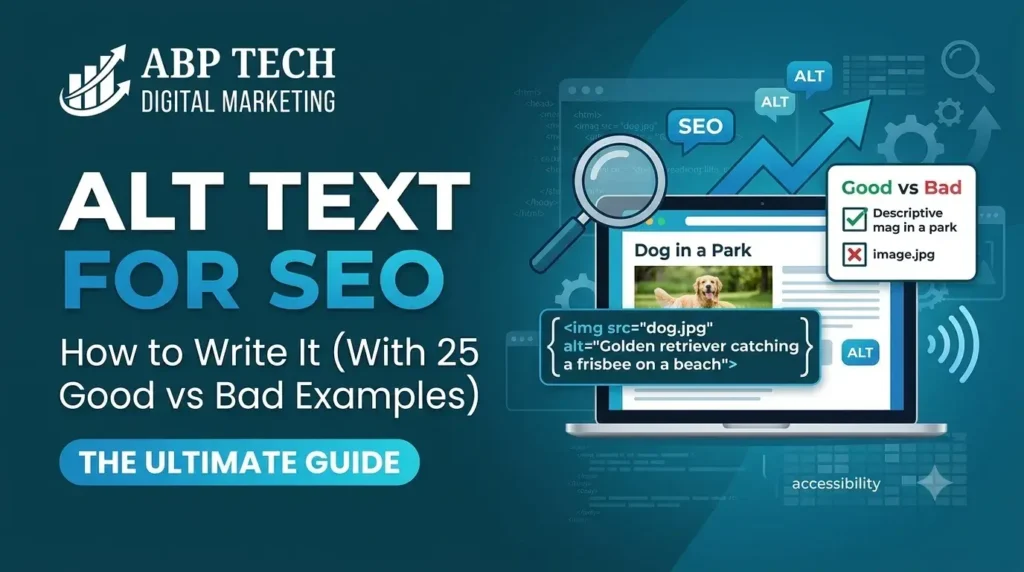
- Describe what is actually visible, specifically. “Dog” is a label. “Golden retriever catching a frisbee on a beach” is a description. A useful test: read your alt text to someone over the phone. If they could sketch roughly the right image, it’s specific enough.
- Write for the page, not just the picture. The same photo needs different alt text in different places. A laptop-on-desk photo in an article about remote work might be Home office desk with laptop and external monitor. On a product page for that monitor, it should be 27-inch 4K monitor on a standing desk beside a laptop. Context decides which details matter.
- Keep it under roughly 125 characters. There’s no official limit, but screen readers read the whole string, and long alt text becomes a chore to listen to. If an image needs more explanation (a chart, a diagram), put the detail in the page text and keep the alt short.
- Drop “image of”, “photo of” and “picture of”. Screen readers already announce “image” before reading the alt text. You’re making users hear it twice.
- Use the keyword only where it fits. Compare:
- Forced: alt text for seo best alt text seo tips alt text guide
- Natural: Screaming Frog Images tab filtered to Missing Alt Text
The second says what the screenshot shows and still carries the topic. Most images on a page won’t have an exact-match keyword, and that’s fine.
- Make every alt text unique. If six product photos all say blue jacket, nobody, human or crawler, can tell them apart. Add the angle, the detail or the variant.
25 Alt Text Examples: Good vs Bad
Use these as patterns, not templates to copy word for word.
Screenshots and blog images
# | Image | Bad alt text | Good alt text | Why it works |
1 | Search Console performance report | screenshot | Search Console performance report filtered to queries containing “alt text”, showing 0 clicks | States the filter and the finding |
2 | Screaming Frog Images tab | screaming frog seo tool seo audit | Screaming Frog Images tab filtered to Missing Alt Text with 38 URLs listed | Describes the screen, no stuffing |
3 | PageSpeed Insights result | pagespeed | PageSpeed Insights report flagging a 2.1 MB hero image as the LCP element | Carries the point the screenshot makes |
4 | Compression before/after | compressed image | Same product photo as a 1.4 MB JPEG and a 96 KB WebP, shown side by side | Gives the comparison in numbers |
5 | HTML code screenshot | code | Image tag with an empty alt attribute on a decorative divider | Says what the code demonstrates |
Product images (ecommerce)
# | Image | Bad alt text | Good alt text | Why it works |
6 | Electric guitar, front | guitar | Sunburst electric guitar with maple neck, front view | Finish, material and angle |
7 | Running shoe, side | buy running shoes online cheap | Women’s trail running shoe in forest green, side profile | Describes it instead of pitching it |
8 | Lifestyle shot | bottle | Steel water bottle clipped to a hiking backpack | Shows the use case |
9 | Detail shot | bag zip | Close-up of brass zip on a leather tote | Distinguishes it from the main photo |
10 | Colour variant | mug | Ceramic mug in matte black, 350 ml | Variant and size make each image unique |
People and team photos
# | Image | Bad alt text | Good alt text | Why it works |
11 | Staff headshot | team member | Dr. Ananya Rao, orthodontist at the Mohali clinic | Name and role |
12 | Group photo | our team | Five-person support team at a shared desk during a client call | Says who and what’s happening |
13 | Speaker photo | event | Founder presenting local SEO tips at a Chandigarh meetup | Adds the specific event |
Charts and infographics
# | Image | Bad alt text | Good alt text | Why it works |
14 | Bar chart | chart | Bar chart: WebP files were 28% smaller than JPEG across 20 test photos | The takeaway, not just the type |
15 | Infographic | image seo infographic | Image SEO checklist infographic listing 11 steps, from format choice to CDN | Summarises the contents |
16 | Line chart | traffic graph | Line chart of organic clicks rising from 120 to 410 per month over six months | Trend and range |
Logos
# | Image | Bad alt text | Good alt text | Why it works |
17 | Header logo linking to home | logo | ABP Tech Digital Marketing home | Names the brand and the link target |
18 | Client logo in a strip | client logo 3 | Acme Dental logo | Names the client |
Local business
# | Image | Bad alt text | Good alt text | Why it works |
19 | Storefront | dentist near me | Ground-floor entrance of a dental clinic in Mohali with blue signage | Real description, location is natural |
20 | Service in progress | car battery replacement service | Technician replacing a car battery in a customer’s driveway | Shows the action |
21 | Before photo | before | Kitchen before renovation, with dated laminate cabinets | States the starting condition |
Decorative images and image links
# | Image | Bad alt text | Good alt text | Why it works |
22 | Wavy section divider | wave divider image | alt=”” (empty) | Decorative, so screen readers skip it |
23 | Background texture | texture | Move to CSS background-image | No informational value |
24 | WhatsApp icon button | icon | Chat with us on WhatsApp | Describes the action, not the icon |
25 | Download button graphic | button | Download the image SEO checklist (PDF) | Names the destination |
Special Cases
Decorative images. Use alt=””, an empty attribute, never a missing one. A missing attribute makes some screen readers read out the file name instead.
Logos. If the logo links to the homepage, the alt text should describe the link (Brand name home). If it’s not linked and the brand name appears in text nearby, an empty alt can be appropriate.
Charts and infographics. Give a short alt text with the main takeaway, then put the full data in a table or paragraph on the page. Crawlers and screen reader users both get the detail from real text.
Images containing text. Repeat the text in the alt attribute, but avoid this pattern when you can. Text in images isn’t selectable, translatable or reliably readable by crawlers.
Image links and buttons. Describe where the link goes or what it does. Treat it like anchor text.
Common Alt Text Mistakes
- Missing alt attribute. The most common issue, and the easiest to fix.
- File name as alt text. jpg or banner-final-v2 means nothing to anyone.
- Keyword stuffing. A string of repeated phrases is a spam signal and a bad experience for screen reader users.
- Identical alt text across images. Common on product galleries and sliders.
- Starting with “image of”.
- Writing a paragraph. If you need more than a sentence, the detail belongs in the page text.
How to Audit Alt Text on Your Site
For a small site, a manual check works. For anything over 50 pages, crawl it with Screaming Frog (the free version covers 500 URLs).
- Enter your domain and run the crawl. If you use responsive images, turn on Config > Spider > Crawl > Extract images from img srcset attribute
- Open the Images tab and use the filter dropdown. The ones that matter: Missing Alt Text (attribute present but empty), Missing Alt Attribute (no attribute at all), and Alt Text Over 100 Characters.
- Export the list with Bulk Export > Images > Images Missing Alt Text Inlinks. This shows which pages each image appears on.
- Prioritise in this order: pages already earning impressions in Search Console, product and service pages, then the blog. Pull the page list from the Performance report so you fix what Google is already showing.
- Separate the decorative images from the content images before writing anything. Empty alt on a divider is correct, not an error.
- Recrawl after the fixes and confirm the missing counts dropped.
How to Add Alt Text in WordPress, Elementor and Shopify
WordPress (Gutenberg). Click the image block, then fill Alt text (alternative text) in the right sidebar. For decorative images, leave it empty. To change it site-wide, edit it in Media > Library > Attachment details > Alternative Text.
Elementor. The Image widget pulls the alt text from the Media Library, so set it there first. Edit it per instance in the widget’s image settings only when the same file needs different alt text on different pages.
Shopify. Open the product, click the image in the media section, and choose Edit alt text. For theme images, edit them in the theme editor’s image picker.
FAQs
How long should alt text be? Keep it under about 125 characters. There’s no hard limit, but shorter, specific alt text is easier for screen readers and clearer for search engines.
Do I need alt text on every image? Every image that carries information needs it. Decorative images need an empty alt=”” so assistive tools skip them.
Should alt text include keywords? Only when the keyword is an accurate description of the image. Write for the person who can’t see it first, then check whether a keyword fits.
Is the title attribute the same as alt text? No. The title attribute shows as a tooltip on hover and is inconsistently read by screen readers. Alt text is what matters for accessibility and image understanding.
Does alt text help rank in Google Images? It’s one of the signals Google uses, along with the page’s text, the file name and the image’s quality. It works best combined with relevant surrounding content.
Final Checklist
Before publishing any page, scan every image against four questions: does it have an alt attribute, does the text describe what’s visible, does it fit the page context, and is it empty only where the image is decorative? Fix those four and you’ve covered nearly everything that matters. For the rest of the image optimization work, including formats, sizing and lazy loading, see the full image SEO guide. If you’d rather have someone audit your site, request a free review.